
Put it away. Find it months later.
-
Log it in one line
“Passport, office, top drawer, blue folder.”
Add a photo of the spot if you like. Your places become one-tap chips.
-
Or just tell Siri
Log things with your hands full, from AirPods, the Action Button or Camera Control.
-
Search and go straight there
See the place, the time and the photo of the spot, months later.
Find the box, not just the room
Scan a room once and pin the exact spot. Later, follow the arrow, the radar and the “getting warmer” haptics until it says Found it.
Works on recent iPhones, with extra accuracy on Pro models with LiDAR.

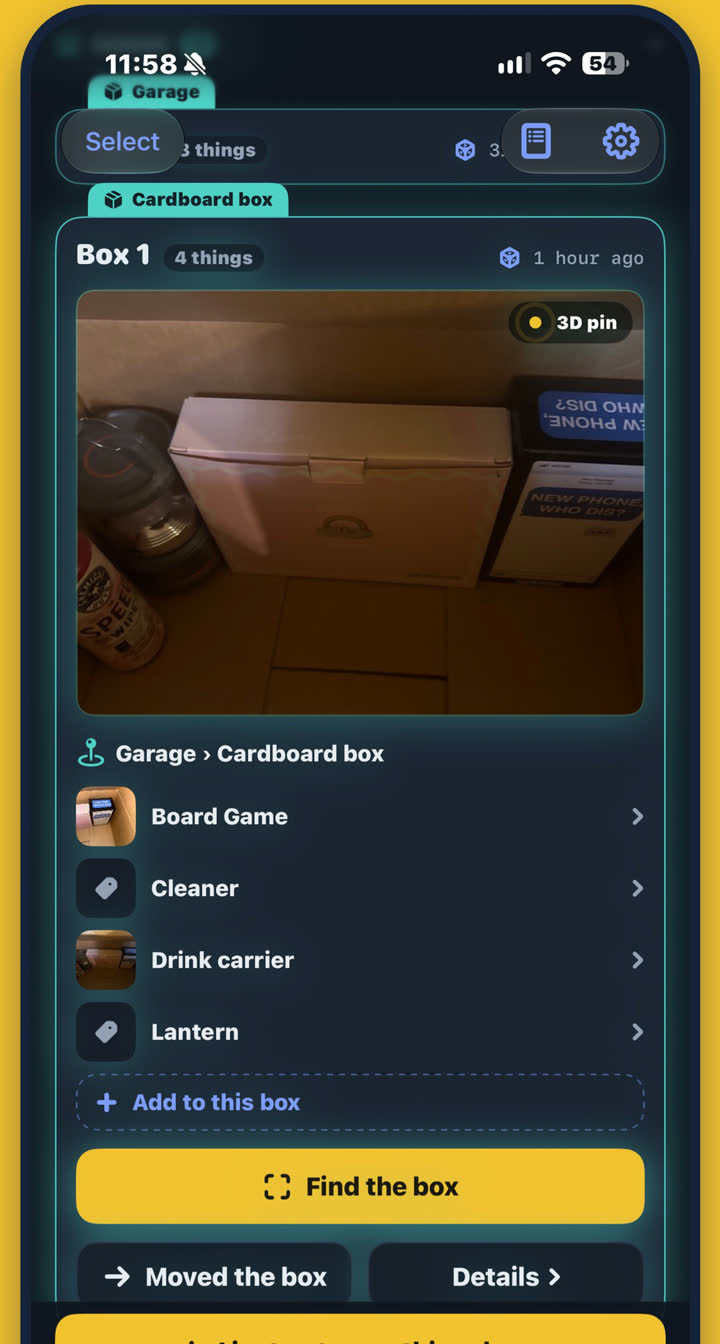
Know what's in every box
Put things in a box and see what's inside at a glance, with a photo a tap away.
Move the box and everything in it follows. There's nothing else to update.

Lost it? Check these first
Mark it “Can't find it” and see every place it has been, most recent first.
Every move is kept in a trail, so you know where it lived before.
One list for the whole household
“Where did you put the drill?” Now the answer is on everyone's iPhone. It syncs through your own iCloud, never our servers.

Examples of the notifications your family can get.
Just ask Siri
“Where is my passport in Where Did I Put That?” shows the place, the time and the photo.
Forgotten things
See what you haven't touched in six months, then sell or lend it in a tap.
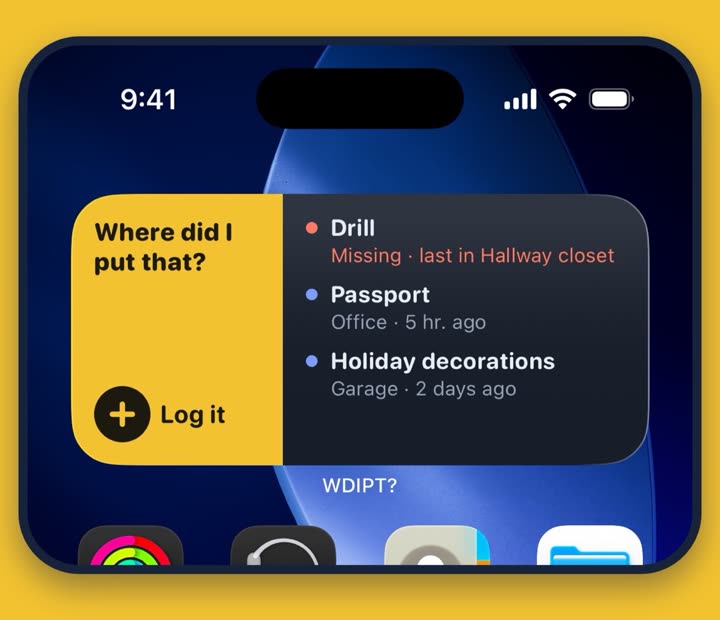
Widgets
Tap once to log from your Home Screen or Lock Screen, and see what's missing at a glance.
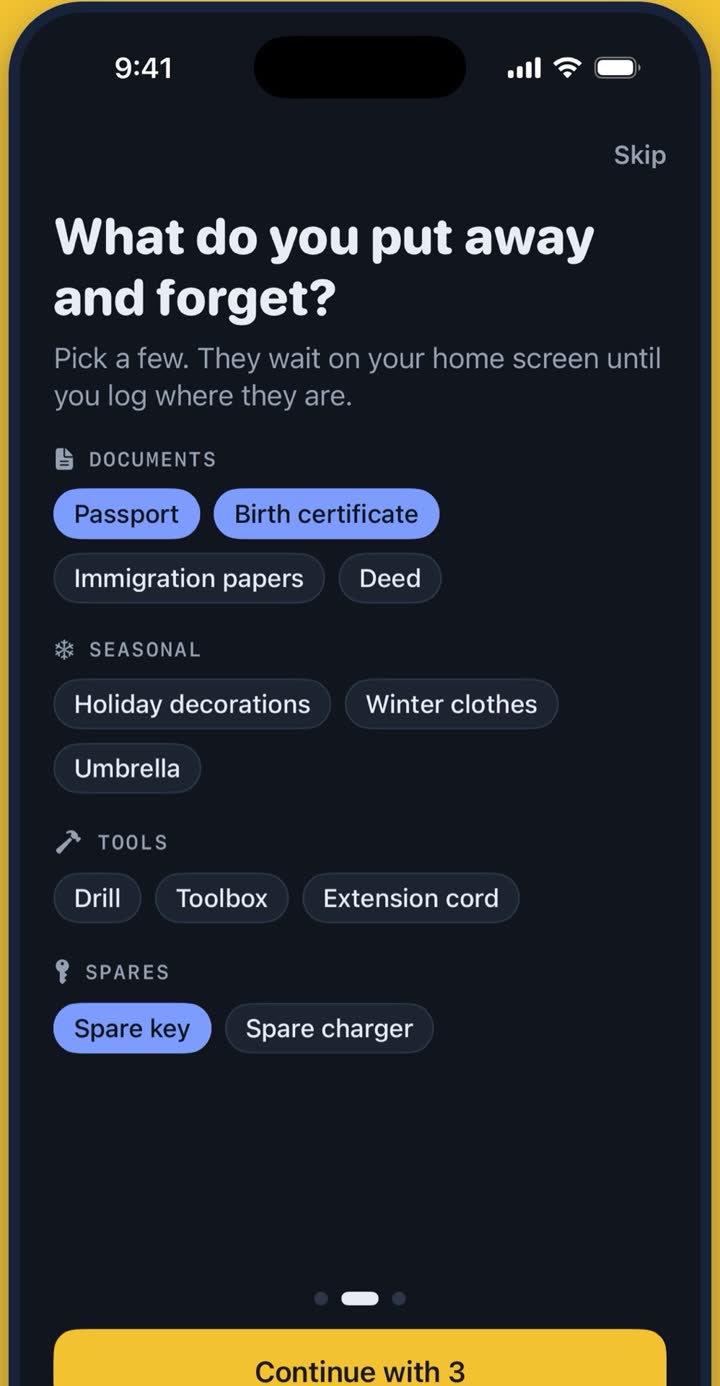
Easy from the first day
Your stuff stays yours
Your items stay on your iPhone, or in your own iCloud when you share with family.
- No account
- No ads
- No tracking
- Face ID lock
- Names hidden on the Lock Screen
Questions
What does WDIPT stand for?
“Where Did I Put That?” Look for WDIPT? on the App Store.
Is this the same as other sites called WDIPT?
This page and the iPhone app are the only official home of this app. Other sites using the same letters are not connected to it, and the app never asks you to sign in on a website.
Which iPhones does it work on?
Any iPhone on iOS 17.4 or later. Finding things in 3D works on recent iPhones and is more accurate on Pro models with LiDAR.
Which languages does it speak?
English, German, French and Turkish.
Now you'll know.
